
-
- Digital Marketing
-
 Perf. Marketing
 E-mail Marketing
 PPC Services
 Video Marketing
 Influencer Marketing
- Social Media
 Facebook Marketing
 Instagram Marketing
 Twitter Marketing
 Pinterest Marketing
 TikTok Marketing


-
- Digital Marketing
-
Perf. Marketing
- E-mail Marketing
- PPC Services
- Video Marketing
- Influencer Marketing
- Social Media
- Facebook Marketing
- Instagram Marketing
- Twitter Marketing
- Pinterest Marketing
- TikTok Marketing
Blog
XML Sitemap vs HTML Sitemap: What is the Difference?

Want a Quick Summary?
Summarize this article instantly with ChatGPT.
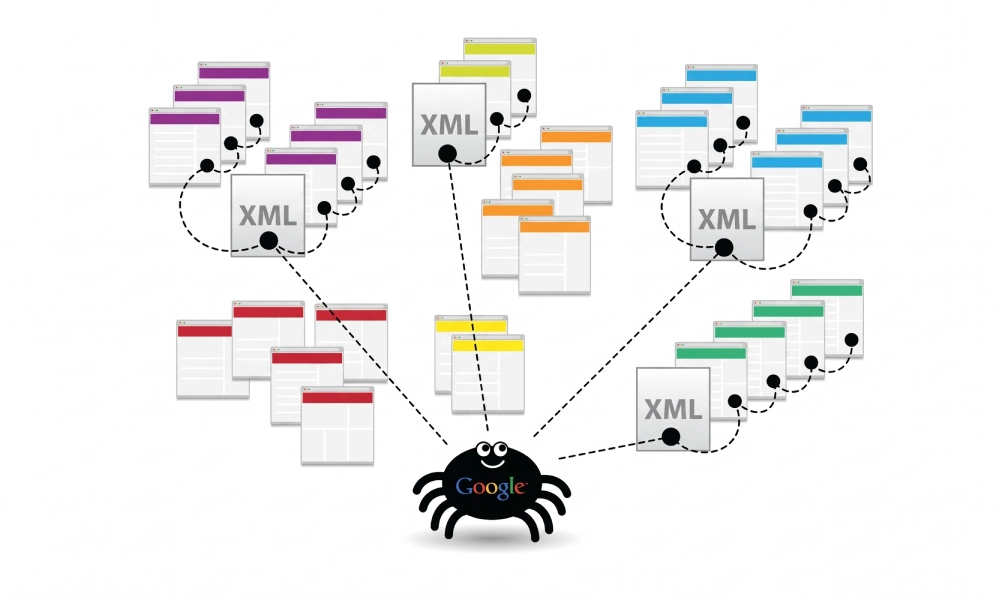
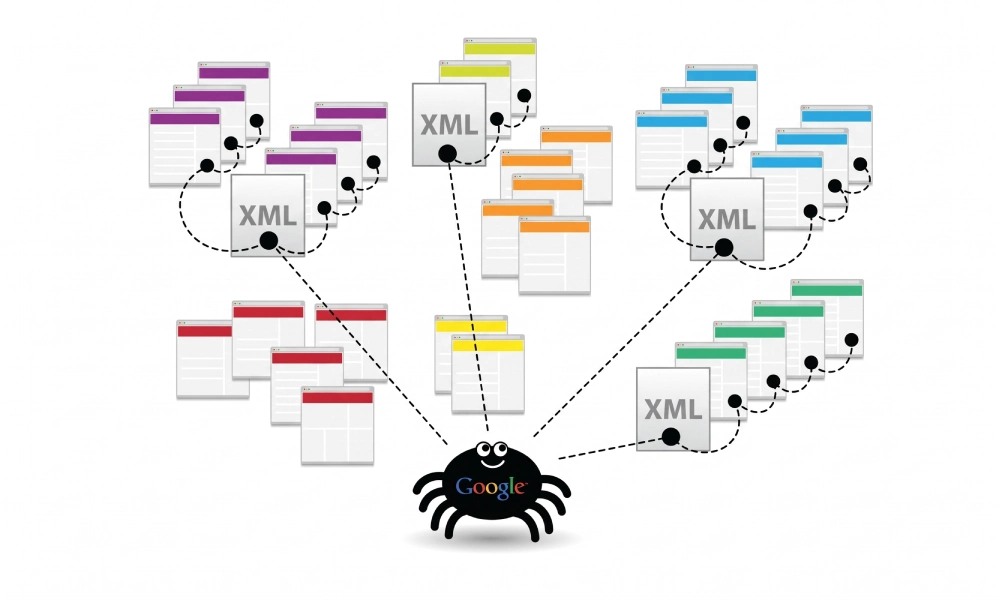
While both XML and HTML sitemaps serve as structural maps of a website, they are designed for two completely different audiences. An XML sitemap is created strictly for search engine crawlers like Googlebot and Bingbot, whereas an HTML sitemap is designed for human visitors navigating a website.
Relying on one while ignoring the other leaves a gap in either your search engine crawl efficiency or your user experience. Understanding the technical distinctions between XML sitemap vs HTML sitemap implementations ensures your website satisfies search engine discovery algorithms while offering intuitive navigation for human visitors.
Direct Comparison: XML Sitemap vs. HTML Sitemap
The table below summarizes the technical, functional, and structural differences between both sitemap types:
| Diagnostic Dimension | XML Sitemap | HTML Sitemap |
|---|---|---|
| Primary Audience | Search engine bots (Googlebot, Bingbot, Yandex) | Human website visitors and end users |
| File Format | Extensible Markup Language (.xml) |
Standard HyperText Markup Language (.html) |
| Standard Location | domain.com/sitemap.xml (declared in robots.txt) |
domain.com/sitemap/ (linked from the site footer) |
| Included Metadata | Last modification dates (<lastmod>), change frequency, priority |
Visible anchor text, descriptive category groupings, UX labels |
| Submission Method | Submitted directly via Google Search Console and Bing Webmaster Tools | Linked via standard HTML internal links in menus or footers |
| Core SEO Benefit | Crawl budget optimization, rapid content discovery, indexation signals | Internal PageRank distribution, orphan prevention, lower bounce rates |
| Size & URL Limits | Strictly 50,000 URLs and 50MB uncompressed per file | No protocol limit (best practice is keeping under 100 to 200 links per page) |
What Is an XML Sitemap?
An XML (Extensible Markup Language) sitemap is a backend technical document that feeds structured data directly to search engine crawlers. It acts as an authoritative inventory of all canonical, indexable URLs on a domain.
Standard XML sitemaps do not contain styling, branding, or decorative CSS. Instead, they adhere to standardized protocol schemas defined by sitemaps.org:
<?xml version="1.0" encoding="UTF-8"?>
<urlset xmlns="http://www.sitemaps.org/schemas/sitemap/0.9">
  <url>
    <loc>https://www.yourdomain.com/services/</loc>
    <lastmod>2026-10-17T09:30:00+00:00</lastmod>
    <changefreq>weekly</changefreq>
    <priority>0.8</priority>
  </url>
</urlset>
Key Benefits of XML Sitemaps:
- Fast-Tracks New Page Discovery: Newly published articles and service pages are discovered immediately by bots reading the XML feed rather than waiting for an internal link recrawl.
- Communicates Content Updates: The
<lastmod>tag alerts search engines when an existing page has been substantively edited, prompting timely recrawling. - Preserves Crawl Budget: By listing only 200 OK canonical destinations, it keeps search bots focused on high-value pages rather than faceted navigation strings.
What Is an HTML Sitemap?
An HTML sitemap is a live, front-facing webpage accessible to any visitor browsing your website. Typically linked in the global website footer, it organizes your primary categories, core service pages, support resources, and company information into a scannable bulleted hierarchy.
Example of clean HTML sitemap structure:
<nav>
  <h2>Core Services</h2>
  <ul>
    <li><a href="/services/cloud-migration/">Enterprise Cloud Migration</a></li>
    <li><a href="/services/cybersecurity/">Managed Cybersecurity Services</a></li>
    <li><a href="/services/infrastructure/">IT Infrastructure Management</a></li>
  </ul>

  <h2>Company & Resources</h2>
  <ul>
    <li><a href="/about-us/">About Our Team</a></li>
    <li><a href="/case-studies/">Client Case Studies</a></li>
    <li><a href="/contact/">Contact & Support</a></li>
  </ul>
</nav>
Key Benefits of HTML Sitemaps:
- Improves User Navigation: Helps visitors locate hard-to-find resources, corporate policies, or deep category links without clicking through multi-tiered dropdown menus.
- Strengthens Internal Link Equity: Distributes PageRank directly from a high-authority footer link down to nested subpages and secondary categories.
- Eliminates Orphan Pages: Ensures every important page on your website receives at least one direct, crawlable HTML internal link.
Do You Need Both Sitemaps?
Yes. Modern technical SEO and user experience best practices dictate that websites (especially medium-to-large platforms) should maintain both XML and HTML sitemaps concurrently. They do not compete; they complement each other.
- The XML sitemap acts as your direct API to search bots: It informs Google Search Console and Bing Webmaster Tools about your exact URL inventory, update timestamps, and image or video assets.
- The HTML sitemap acts as a structural safety net: Search algorithms rely heavily on the context of internal links, anchor text, and click depth. An HTML sitemap ensures that even if an XML sitemap experiences parsing lags, crawlers can still traverse your site hierarchy naturally.
Best Practices for Managing Both Sitemaps
To ensure both sitemaps support your site's organic search visibility without generating technical conflicts, follow these guidelines:
- Keep URL Inventories Canonical:
Both sitemaps must only include 200 OK canonical URLs. Never include 301 redirects, broken 404 links, or pages marked with
noindexdirectives in either file. - Curate the HTML Sitemap:
While an XML sitemap can list up to 50,000 URLs per file, an HTML sitemap should never dump thousands of links onto a single page. Group links logically by department or department silo, keeping the page concise and easy for visitors to scan.
- Automate XML Generation:
Ensure your CMS or build pipeline updates your XML sitemap automatically whenever a new post or product is published, keeping
<lastmod>timestamps accurate. - Declare Your XML Sitemap in Robots.txt:
Add a direct reference to your XML sitemap at the bottom of your
robots.txtfile to guarantee that all search bots find it upon visiting your domain:Sitemap: https://www.yourdomain.com/sitemap.xml
Complementary Tools for Search and Usability
Understanding the distinction between XML and HTML sitemaps makes it clear why both are necessary. By pairing a validated, protocol-compliant XML sitemap for search crawlers with an organized, accessible HTML sitemap for human visitors, you ensure that every page on your domain is easy to discover, crawl, navigate, and index.
Looking for Measurable Business Growth?
Partner with BrandStory for end-to-end digital & creative excellence.


Are You Looking for Growth?
Free instant digital marketing audit and improve performance.
Get Graded Today
Transform Your Digital Growth with BrandStory
From SEO, PPC, social media marketing, and content marketing to website development, branding, and lead generation, BrandStory delivers result-driven digital marketing services in Dubai and across the UAE, helping businesses attract, engage, and convert more customers.
Trusted by 1000+ leading brands in Dubai and globally including:




Related Blogs

How to Create a Sitemap for Wix, Webflow, or Custom Websites
Search engines crawl billions of pages daily by traversing hyperlinks across the web. However, if your website relies ...
How to Create a Sitemap for Shopify: Setup and Submission Guide
For e-commerce merchants running stores on Shopify, search engine visibility is directly tied to store revenue. If sea...

How to Create a Sitemap for WordPress: Step-by-Step Guide
An XML sitemap is a critical technical blueprint for any WordPress website. It serves as a direct, structured director...
.webp)
How to Find and Fix Broken Links That Hurt Your Sitemap
An XML sitemap is supposed to represent the definitive inventory of your highest-value, fully functioning web pages. W...
.webp)
Crawl Budget: How Sitemaps Help Search Engines Crawl Your Site
Every website operates under computing and bandwidth constraints, and search engines like Google and Bing are no excep...
Why Google Is Not Indexing Your Pages (and How a Sitemap Helps)
Publishing high-quality content or launching an e-commerce catalog does not guarantee automatic inclusion in Google se...

