
-
- Digital Marketing
-
 Perf. Marketing
 E-mail Marketing
 PPC Services
 Video Marketing
 Influencer Marketing
- Social Media
 Facebook Marketing
 Instagram Marketing
 Twitter Marketing
 Pinterest Marketing
 TikTok Marketing


-
- Digital Marketing
-
Perf. Marketing
- E-mail Marketing
- PPC Services
- Video Marketing
- Influencer Marketing
- Social Media
- Facebook Marketing
- Instagram Marketing
- Twitter Marketing
- Pinterest Marketing
- TikTok Marketing
Blog
XML Sitemap Format and Structure: Tags, Lastmod, Priority, and Changefreq
Want a Quick Summary?
Summarize this article instantly with ChatGPT.
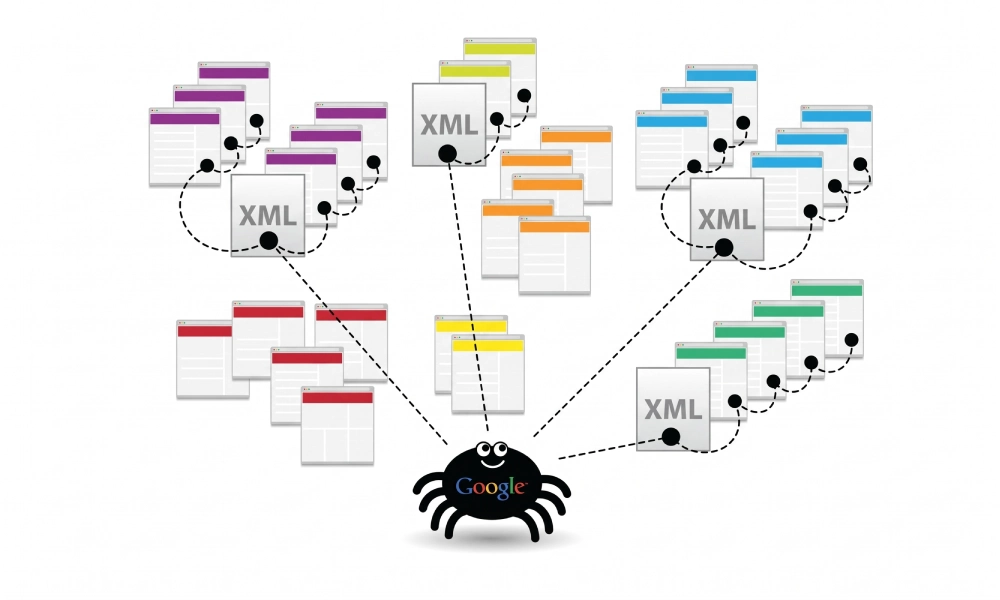
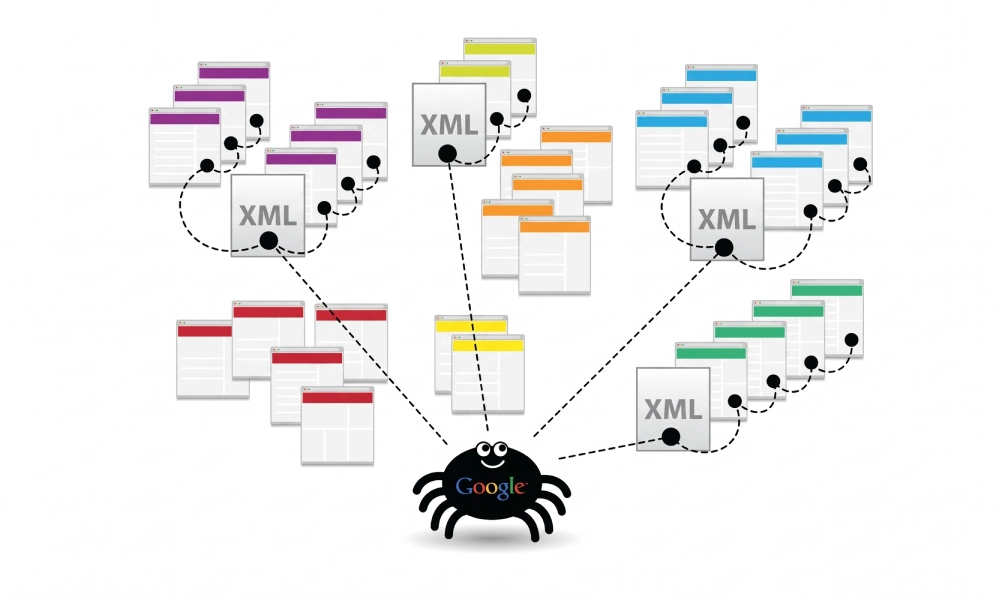
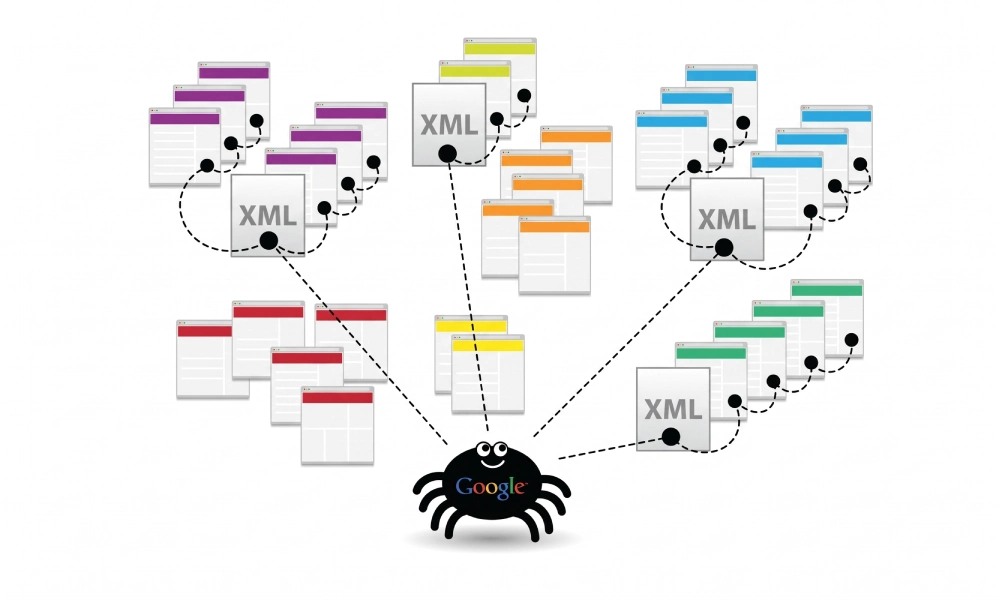
An XML sitemap serves as a standardized communication protocol between web servers and search engine crawlers like Googlebot and Bingbot. Written in Extensible Markup Language (XML), it provides search bots with a machine-readable roadmap of your site's canonical URLs, along with vital metadata governing when each page was modified and how frequently it updates.
Without a valid structural hierarchy, search engines may encounter XML parsing errors, misunderstand your canonical preferences, or misallocate valuable crawl budget. Understanding the exact XML sitemap format and structure allows developers and technical SEO professionals to construct clean, protocol-compliant files that streamline crawl paths and indexation across their entire web estate.
The Official Sitemaps Protocol: Core Syntax Overview
The XML sitemap schema is defined by the open Sitemaps XML protocol (maintained at sitemaps.org) and supported by Google, Microsoft Bing, and other major engines. Every valid XML sitemap must follow strict structural rules: it must begin with an XML declaration, open with a URL set definition referencing the XML namespace, enclose individual URLs within dedicated child blocks, and close properly.
Here is an example of a complete, compliant standard XML sitemap containing a single URL entry:
<?xml version="1.0" encoding="UTF-8"?>
<urlset xmlns="http://www.sitemaps.org/schemas/sitemap/0.9">
  <url>
    <loc>https://www.yourdomain.com/services/</loc>
    <lastmod>2026-10-17T08:30:00+00:00</lastmod>
    <changefreq>weekly</changefreq>
    <priority>0.8</priority>
  </url>
</urlset>
Detailed Breakdown of Standard XML Sitemap Tags
The schema defines four standard tags per URL entry. Two tags are mandatory structural requirements, while the remaining two serve as supplementary metadata signals:
| XML Tag | Status | Accepted Values / Format | Core Technical Purpose |
|---|---|---|---|
<urlset> |
Mandatory | Standard XML namespace reference | Encloses the entire document and declares the schema standard. |
<url> |
Mandatory | Container parent element | Encloses all child metadata for a single specific webpage. |
<loc> |
Mandatory | Absolute URL (e.g., https://...) |
Identifies the exact canonical location of the target URL. |
<lastmod> |
Optional (Crucial) | W3C Datetime (YYYY-MM-DD or full timestamp) | Signals the exact date and time the content was last updated. |
<changefreq> |
Optional | always, hourly, daily, weekly, monthly, yearly, never | Provides a historical hint on how frequently page copy changes. |
<priority> |
Optional | 0.0 to 1.0 (Default is 0.5) | Suggests the relative importance of the URL compared to other internal URLs. |
1. The <loc> Tag: Absolute Canonical Location
The <loc> (location) tag is strictly mandatory. It must contain the complete, absolute URL of the page, beginning with the protocol (http:// or https://) and matching your site's canonical domain syntax exactly.
Critical requirements for <loc>:
- No Relative URLs: A path like
<loc>/about-us/</loc>is invalid and causes parser failures. It must be written as<loc>https://www.yourdomain.com/about-us/</loc>. - Protocol Consistency: Never mix HTTP and HTTPS URLs in the same sitemap if your website enforces HTTPS.
- Trailing Slash Precision: If your server redirects non-trailing slash URLs to trailing slashes (e.g.,
/blogto/blog/), only include the final destination format to prevent redirect hops. - XML Entity Escaping: Standard XML requires five specific characters to be escaped within the URL string:
- Ampersand (
&) becomes& - Single Quote (
') becomes' - Double Quote (
") becomes" - Greater Than (
>) becomes> - Less Than (
<) becomes<
- Ampersand (
2. The <lastmod> Tag: Accurate Recrawl Scheduling
The <lastmod> (last modified) tag indicates when the webpage was last substantively updated. Unlike priority and changefreq, Google has officially confirmed that it actively relies on <lastmod> to decide whether a URL in its index needs to be recrawled.
Formatting rules for <lastmod>:
- Must follow the W3C Datetime format. You can provide just the date (
YYYY-MM-DD) or the full timestamp including timezone offset (YYYY-MM-DDThh:mm:ss+00:00). - Avoid Mass Date Updating: Never configure your CMS to automatically update every
<lastmod>tag daily if no page changes occurred. If search bots crawl URLs and find unchanged content, they begin ignoring your timestamps altogether. Only trigger a new date when body text, headings, or core resources are updated.
3. The <changefreq> Tag: Intended Update Frequency
The <changefreq> tag provides search bots with a hint about how frequently the page is expected to change. Accepted values are limited strictly to:
always(for real-time market data or stock tickers)hourly(for major news homepages)daily(for blogs, discussion boards, and classified feeds)weekly(for standard corporate service landing pages)monthly(for category overviews and recurring reports)yearly(for legal privacy policies and terms of service)never(for permanently archived documentation)
Search Engine Reality: Googlebot largely ignores <changefreq> because publishers historically abused the tag by setting every page to "always" or "hourly". Google uses its own machine learning algorithms to determine crawl frequency based on historical change patterns. However, alternative search engines still read this field as baseline metadata.
4. The <priority> Tag: Relative Internal Hierarchy
The <priority> tag allows webmasters to rank the relative importance of internal pages compared to one another on a scale from 0.0 (lowest) to 1.0 (highest). The default value is 0.5.
- It is purely relative: Setting all pages to
<priority>1.0</priority>does not help your site rank higher in Google. It simply signals that you consider every page equally important, which defeats the purpose of the tag. - Standard Hierarchy: A typical structure sets the homepage at
1.0, core commercial landing pages at0.8, standard informational blog posts at0.6, and terms or contact pages at0.3. - Modern Search Support: Googlebot does not directly alter indexation or ranking scores based on the priority tag. Crawlers prioritize URLs based on internal PageRank, backlinks, and user demand.
Sitemap Index Files: Managing Multi-File Architecture
The sitemap protocol enforces two strict architectural boundaries on any single XML sitemap file:
- A maximum of 50,000 URLs
- An uncompressed file size limit of 50MB
If your website exceeds either threshold, you must break your URLs into multiple child sitemaps (e.g., post-sitemap.xml, page-sitemap.xml, product-sitemap.xml) and combine them inside a parent Sitemap Index File:
<?xml version="1.0" encoding="UTF-8"?>
<sitemapindex xmlns="http://www.sitemaps.org/schemas/sitemap/0.9">
  <sitemap>
    <loc>https://www.yourdomain.com/page-sitemap.xml</loc>
    <lastmod>2026-10-15T12:00:00+00:00</lastmod>
  </sitemap>
  <sitemap>
    <loc>https://www.yourdomain.com/product-sitemap.xml</loc>
    <lastmod>2026-10-17T07:15:00+00:00</lastmod>
  </sitemap>
</sitemapindex>
When you submit a sitemap index file to Google Search Console or Bing Webmaster Tools, the crawler automatically extracts and schedules all linked sub-sitemaps for inspection.
Automate File Creation and Protocol Validation
Writing and maintaining extensive XML syntax manually can lead to unescaped ampersands, missing namespace tags, or unclosed elements that prevent crawlers from processing your URLs.
To produce a clean, fully validated file that strictly adheres to the official sitemaps.org protocol, you can generate free XML sitemap files for your website and download an error-free sitemap.xml package ready for server deployment.
Best Practices for XML Sitemap Hygiene
To ensure your sitemap delivers maximum value to search engine crawlers without generating diagnostic flags in Google Search Console, follow these operational rules:
- Include Only 200 OK URLs: Never include URLs that return 301/302 redirects, 404 broken links, or 500 server errors. Sitemaps must contain solely 200 OK canonical targets.
- Exclude Noindexed Pages: Including a URL with a
<meta name="robots" content="noindex">tag creates contradictory instructions and triggers Search Console warnings. - Omit Faceted Parameters: Filter strings, sorting parameters, and session IDs cause index bloat and drain crawl budget. Leave them out of the sitemap.
- Declare in Robots.txt: Add a clean reference pointing to your master sitemap URL at the bottom of your
robots.txtfile:Sitemap: https://www.yourdomain.com/sitemap.xml
Maintain Accurate Technical Architecture
The XML sitemap is one of the most fundamental structural assets in technical SEO. By maintaining strict protocol syntax, using absolute canonical URLs, providing accurate lastmod timestamps, and segmenting large domains with sitemap index files, you ensure search engines crawl and index your primary pages with maximum efficiency.
Looking for Measurable Business Growth?
Partner with BrandStory for end-to-end digital & creative excellence.


Are You Looking for Growth?
Free instant digital marketing audit and improve performance.
Get Graded Today
Transform Your Digital Growth with BrandStory
From SEO, PPC, social media marketing, and content marketing to website development, branding, and lead generation, BrandStory delivers result-driven digital marketing services in Dubai and across the UAE, helping businesses attract, engage, and convert more customers.
Trusted by 1000+ leading brands in Dubai and globally including:




Related Blogs

How to Create a Sitemap for Wix, Webflow, or Custom Websites
Search engines crawl billions of pages daily by traversing hyperlinks across the web. However, if your website relies ...
How to Create a Sitemap for Shopify: Setup and Submission Guide
For e-commerce merchants running stores on Shopify, search engine visibility is directly tied to store revenue. If sea...

How to Create a Sitemap for WordPress: Step-by-Step Guide
An XML sitemap is a critical technical blueprint for any WordPress website. It serves as a direct, structured director...
.webp)
How to Find and Fix Broken Links That Hurt Your Sitemap
An XML sitemap is supposed to represent the definitive inventory of your highest-value, fully functioning web pages. W...
.webp)
Crawl Budget: How Sitemaps Help Search Engines Crawl Your Site
Every website operates under computing and bandwidth constraints, and search engines like Google and Bing are no excep...
Why Google Is Not Indexing Your Pages (and How a Sitemap Helps)
Publishing high-quality content or launching an e-commerce catalog does not guarantee automatic inclusion in Google se...

