
-
- Digital Marketing
-
 Perf. Marketing
 E-mail Marketing
 PPC Services
 Video Marketing
 Influencer Marketing
- Social Media
 Facebook Marketing
 Instagram Marketing
 Twitter Marketing
 Pinterest Marketing
 TikTok Marketing


-
- Digital Marketing
-
Perf. Marketing
- E-mail Marketing
- PPC Services
- Video Marketing
- Influencer Marketing
- Social Media
- Facebook Marketing
- Instagram Marketing
- Twitter Marketing
- Pinterest Marketing
- TikTok Marketing
Blog
Video Sitemap: How to Get Videos Indexed & Ranked in Google
.webp)
Want a Quick Summary?
Summarize this article instantly with ChatGPT.
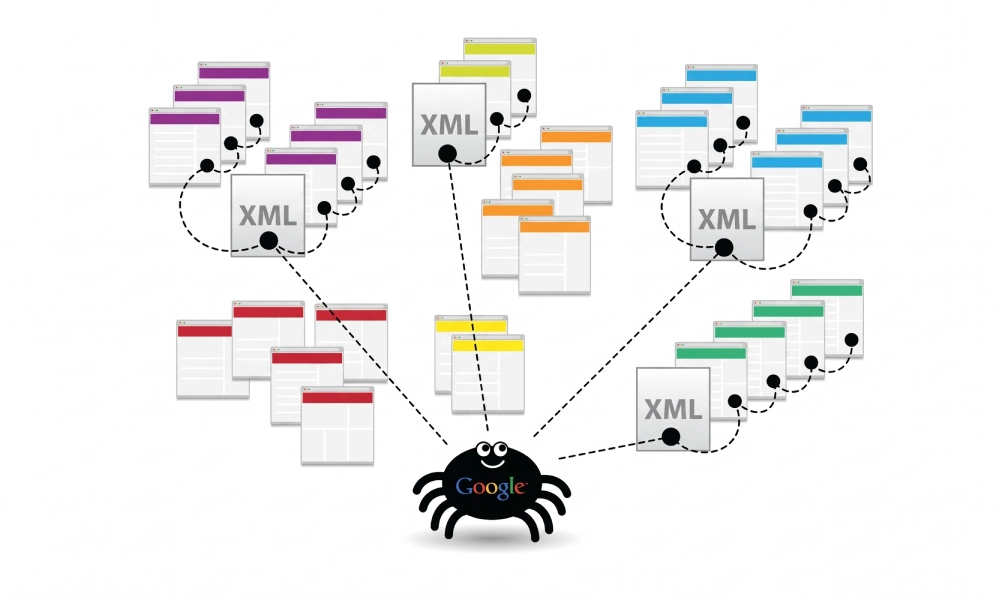
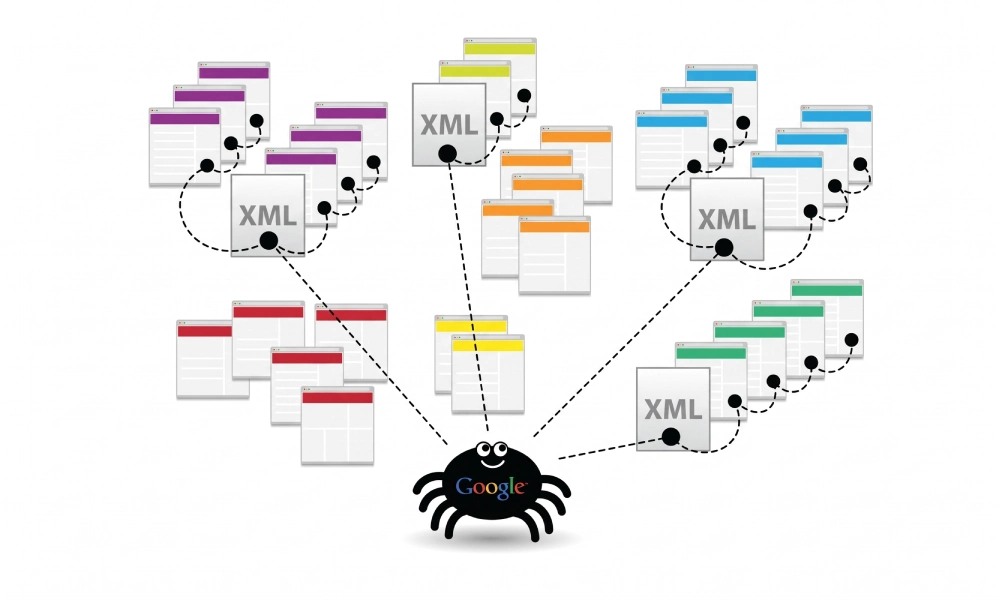
Video content is one of the most effective mediums for building brand authority, increasing average dwell time, and educating potential customers. However, search engine crawlers like Googlebot cannot watch or listen to video files the way human viewers do. When video assets are embedded through client-side JavaScript, third-party iframe players, or dynamic content delivery networks (CDNs), search crawlers frequently fail to detect and index them.
A dedicated video sitemap solves this discovery barrier by supplying structured technical metadata directly to search engine bots. Learning how video sitemaps work and how to construct them properly ensures your multimedia content qualifies for video rich snippets, key moments, and prominent placement across Google Video and Universal Search results.
What Is a Video Sitemap?
A video sitemap is an XML document based on the standard Sitemaps.org protocol that incorporates Google's specialized video extension namespace (xmlns:video="http://www.google.com/schemas/sitemap-video/1.1"). It attaches video metadata directly to the parent webpage URL where the media is hosted or embedded.
Instead of requiring an isolated document, video elements are usually appended directly inside your primary XML sitemap under the parent <url> entry. This informs search algorithms about the video file path, thumbnail image, title, description, play duration, view count, and publication date.
Why Video Sitemaps Matter for Technical SEO
While search engines occasionally discover embedded media through schema markup or standard HTML5 <video> elements, implementing a validated video sitemap provides several distinct technical benefits:
- Fast Discovery of Embedded Assets: Crawlers discover newly uploaded webinars, tutorials, or product demos immediately via sitemap feeds instead of waiting for full JavaScript rendering cycles.
- Qualification for Video Rich Snippets: Submitting verified thumbnails and durations enables Google to display rich video badges, duration timestamps, and preview cards alongside standard text snippets.
- Enabling Key Moments (Timestamps): Video sitemaps support timestamped deep links, allowing searchers to jump directly to specific segments of a long video directly from the search engine results page.
- Restricting Regional Access: You can define country-specific geocoding directives (allow or deny) to prevent videos from appearing in search results where licensing or regional distribution restrictions apply.
XML Schema and Required Tags for Video Sitemaps
An official video sitemap extends the core XML protocol by declaring the video namespace in the root <urlset> element, followed by specialized child tags nested within the <video:video> container block.
Here is an example of a complete, protocol-compliant video sitemap entry:
<?xml version="1.0" encoding="UTF-8"?>
<urlset xmlns="http://www.sitemaps.org/schemas/sitemap/0.9"
        xmlns:video="http://www.google.com/schemas/sitemap-video/1.1">
  <url>
    <loc>https://www.yourdomain.com/tutorials/technical-seo-guide/</loc>
    <video:video>
      <video:thumbnail_loc>https://www.yourdomain.com/thumbnails/seo-guide.jpg</video:thumbnail_loc>
      <video:title>Complete Technical SEO Audit Masterclass</video:title>
      <video:description>Step-by-step technical walk-through demonstrating how to identify crawl errors, fix indexing bottlenecks, and clean XML sitemaps.</video:description>
      <video:content_loc>https://www.yourdomain.com/videos/masterclass.mp4</video:content_loc>
      <video:player_loc>https://www.yourdomain.com/player?id=1024</video:player_loc>
      <video:duration>720</video:duration>
      <video:publication_date>2026-10-17T08:00:00+00:00</video:publication_date>
      <video:family_friendly>yes</video:family_friendly>
      <video:view_count>15420</video:view_count>
    </video:video>
  </url>
</urlset>
Detailed Breakdown of Video Sitemap Tags
The video schema specifies both mandatory tags required for indexation and optional fields that enhance search snippet presentation:
| XML Tag | Status | Accepted Values / Format | Technical Function |
|---|---|---|---|
<video:thumbnail_loc> |
Mandatory | Absolute URL (PNG, JPG, or WebP) | Specifies the preview image displayed in search engine video results (min 60x30px, max 1920x1080px). |
<video:title> |
Mandatory | Text string (Max 100 characters) | The primary headline of the video; matches page context. |
<video:description> |
Mandatory | Text string (Max 2,048 characters) | Detailed editorial summary describing what occurs in the video. |
<video:content_loc> |
Mandatory (or player_loc) | Absolute URL to raw media file | Direct link to the media stream (e.g., .mp4, .webm). |
<video:player_loc> |
Mandatory (or content_loc) | Absolute URL to embedded player | Points to an iframe player URL (e.g., YouTube embed or Vimeo player). |
<video:duration> |
Recommended | Integer (seconds) | Length of the video in seconds (must be between 1 and 28,800 seconds). |
<video:publication_date> |
Recommended | W3C Datetime format | Initial date and time the video was published or made live. |
<video:family_friendly> |
Optional | yes or no |
Signals whether the video is appropriate for SafeSearch filters. |
<video:view_count> |
Optional | Integer | Total views accumulated; signals social proof to crawlers. |
<video:restriction> |
Optional | ISO 3166-1 country codes | Sets geographic allowances or denials (e.g., relationship="allow"). |
Step-by-Step Guide: How to Get Your Videos Indexed
Follow this technical workflow to prepare, generate, and submit a compliant video sitemap:
Step 1: Verify Host Page Requirements
Google will only index a video if the host page satisfies specific technical criteria:
- The host page (
<loc>) must be a canonical 200 OK indexable URL that is open to Googlebot inrobots.txt. - The video must be prominent on the page, positioned above or near the top of the viewport, rather than buried below multiple screens of unrelated text.
- The page must contain descriptive HTML text, headings, and context that reinforce the topic covered in the video.
Step 2: Provide an Accessible Thumbnail Image
A missing or blocked thumbnail is the single most common reason video indexing fails:
- Ensure the image specified in
<video:thumbnail_loc>returns an HTTP 200 OK status code. - Confirm the thumbnail file is not disallowed in
robots.txt. - Maintain standard aspect ratios (16:9, 4:3, or 1:1) with a minimum width of 60 pixels and maximum width of 1920 pixels.
Step 3: Generate the XML Sitemap
Assembling large XML structures with nested namespaces by hand often introduces unescaped ampersands, unclosed tags, or formatting syntax errors.
For websites requiring clean foundational blueprints, you can generate a sitemap online to catalog your core URLs and establish compliant XML schemas before deploying them to your production environment.
Step 4: Pair with VideoObject Schema Markup
For maximum search visibility, align your video sitemap with structured on-page data. Place a corresponding JSON-LD VideoObject script inside the HTML <head> of the host page:
<script type="application/ld+json">
{
  "@context": "https://schema.org",
  "@type": "VideoObject",
  "name": "Complete Technical SEO Audit Masterclass",
  "description": "Step-by-step technical walk-through demonstrating how to identify crawl errors and clean XML sitemaps.",
  "thumbnailUrl": "https://www.yourdomain.com/thumbnails/seo-guide.jpg",
  "uploadDate": "2026-10-17T08:00:00+00:00",
  "duration": "PT12M0S",
  "contentUrl": "https://www.yourdomain.com/videos/masterclass.mp4"
}
</script>
Providing matching data across both your sitemap and on-page JSON-LD markup confirms technical signals and speeds up algorithmic validation.
Step 5: Reference the File in Robots.txt
Inform all compliant search crawlers of your file's location upon arrival by adding an explicit directive at the bottom of your robots.txt file:
User-agent: *
Disallow: /admin/
Disallow: /cart/

Sitemap: https://www.yourdomain.com/video-sitemap.xml
Step 6: Submit and Monitor in Google Search Console
- Log into your Google Search Console account.
- Navigate to Indexing > Sitemaps in the left navigation sidebar.
- Enter your sitemap file URL (e.g.,
video-sitemap.xml) and click Submit. - Monitor the dedicated Video Pages report under the Indexing tab. Google will display the exact indexing status of your videos, categorizing issues such as "Video outside the viewport", "Thumbnail could not be downloaded", or "Google could not determine the prominent video on the page."
Common Video Indexing Mistakes to Avoid
To prevent crawl warnings or indexation drops, ensure your setup avoids these frequent technical pitfalls:
- Blocking Video Assets in Robots.txt: If your raw media files (
.mp4) or thumbnail URLs are hosted in folders blocked by disallow directives, Googlebot cannot fetch the files to verify duration or content. - Declaring Videos on Non-Canonical Pages: Never attach video sitemap entries to parameterized URLs, filter combinations, or pages containing
noindextags. - Failing to Escape Special Characters: Characters like ampersands (
&) in video titles, descriptions, or URLs must be escaped as&to maintain valid XML structure. - Inconsistent Metadata: Ensure the title, description, and duration in your video sitemap match the on-page headings and JSON-LD schema on the host URL.
Maximize the Reach of Your Visual Media
Video content requires substantial creative and technical investment. By deploying a protocol-compliant video sitemap, ensuring thumbnails and media paths remain accessible, aligning entries with on-page structured data, and monitoring Google Search Console performance reports, you give search engines a direct path to discover, index, and showcase your videos to high-intent search audiences.
Looking for Measurable Business Growth?
Partner with BrandStory for end-to-end digital & creative excellence.


Are You Looking for Growth?
Free instant digital marketing audit and improve performance.
Get Graded Today
Transform Your Digital Growth with BrandStory
From SEO, PPC, social media marketing, and content marketing to website development, branding, and lead generation, BrandStory delivers result-driven digital marketing services in Dubai and across the UAE, helping businesses attract, engage, and convert more customers.
Trusted by 1000+ leading brands in Dubai and globally including:




Related Blogs

How to Create a Sitemap for Wix, Webflow, or Custom Websites
Search engines crawl billions of pages daily by traversing hyperlinks across the web. However, if your website relies ...
How to Create a Sitemap for Shopify: Setup and Submission Guide
For e-commerce merchants running stores on Shopify, search engine visibility is directly tied to store revenue. If sea...

How to Create a Sitemap for WordPress: Step-by-Step Guide
An XML sitemap is a critical technical blueprint for any WordPress website. It serves as a direct, structured director...
.webp)
How to Find and Fix Broken Links That Hurt Your Sitemap
An XML sitemap is supposed to represent the definitive inventory of your highest-value, fully functioning web pages. W...
.webp)
Crawl Budget: How Sitemaps Help Search Engines Crawl Your Site
Every website operates under computing and bandwidth constraints, and search engines like Google and Bing are no excep...
Why Google Is Not Indexing Your Pages (and How a Sitemap Helps)
Publishing high-quality content or launching an e-commerce catalog does not guarantee automatic inclusion in Google se...

