
-
- Digital Marketing
-
 Perf. Marketing
 E-mail Marketing
 PPC Services
 Video Marketing
 Influencer Marketing
- Social Media
 Facebook Marketing
 Instagram Marketing
 Twitter Marketing
 Pinterest Marketing
 TikTok Marketing


-
- Digital Marketing
-
Perf. Marketing
- E-mail Marketing
- PPC Services
- Video Marketing
- Influencer Marketing
- Social Media
- Facebook Marketing
- Instagram Marketing
- Twitter Marketing
- Pinterest Marketing
- TikTok Marketing
Blog
How to Create an XML Sitemap Step by Step: Detailed Technical Guide

Want a Quick Summary?
Summarize this article instantly with ChatGPT.
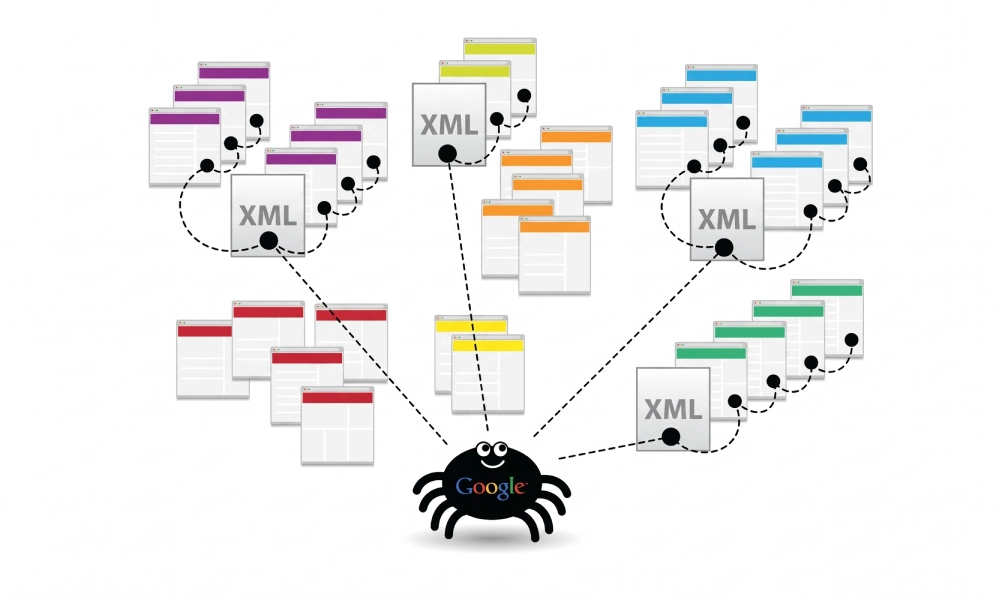
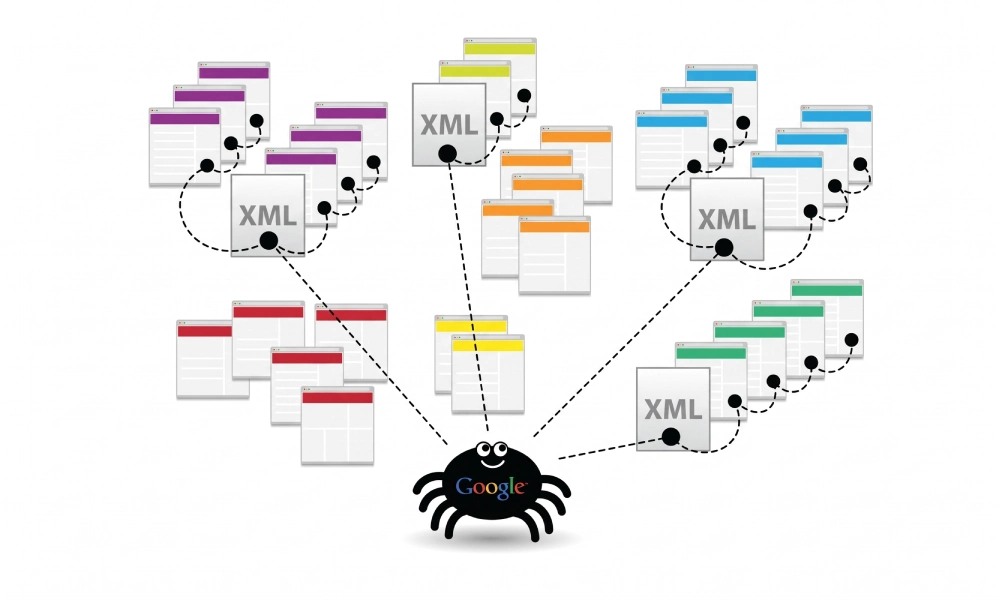
An XML sitemap is a structured machine-readable blueprint that lists all authoritative, canonical URLs across your domain. Designed specifically for search engine crawlers like Googlebot and Bingbot, it supplies essential metadata about each page, including when it was last modified, how frequently it changes, and how it relates to other pages on your site.
Without a properly formatted sitemap, search engines are forced to discover content solely through internal links. On newly launched websites, dynamic single-page applications, or large catalogs, unlinked or deep pages can easily remain undiscovered. Learning how to create an XML sitemap step by step ensures search bots crawl your most profitable pages efficiently without wasting crawl budget on irrelevant URLs.
Why You Need a Validated XML Sitemap
Submitting an XML sitemap directly influences how quickly and thoroughly search engines index your website:
- Faster Indexation: Search crawlers process your sitemap to locate new service pages and blog posts immediately, bypassing the lag of waiting for internal link recrawls.
- Preserved Crawl Budget: Pointing bots only to canonical 200 OK pages prevents them from burning crawl allocation on faceted parameters, duplicate paths, or staging URLs.
- Accurate Freshness Indicators: The
<lastmod>timestamp informs search engines when page copy or assets have been updated, prompting timely recrawls. - Orphan Page Discovery: Sitemaps ensure that high-value pages that lack sufficient internal links remain fully discoverable to search bots.
Step 1: Audit Your URLs to Include Only Indexable Pages
Before generating your file, filter your URL inventory to include only high-value, indexable destinations. Including low-quality or broken links sends contradictory signals to search algorithms.
| Include in XML Sitemap | Exclude from XML Sitemap |
|---|---|
| Canonical 200 OK landing pages | Redirected URLs (301 or 302 status codes) |
| Primary commercial service and product pages | Broken URLs (404 or 410 status codes) |
| Active, indexed blog posts and category hubs | Pages marked with noindex directives |
| Key landing pages with unique content | Faceted navigation or search query parameter strings |
| Dedicated regional or international URLs | Private user utility pages (cart, checkout, admin login) |
Step 2: Generate Your Sitemap Using the Online Generator Tool
To avoid manually assembling complex XML tags, protocol headers, and character encoding, use the free XML sitemap generator. This tool automates the process and guarantees that your export matches standard sitemaps.org protocols.
Follow these steps to generate your file:
- Enter Your Root Domain:
Navigate to the generator and paste your complete website URL into the input field (e.g.,
https://www.yourdomain.com/). Ensure you include the correct protocol (HTTPS) and your preferred domain format (www or non-www). - Configure Crawl and Frequency Parameters:
Select your preferred settings for update frequency (
changefreq) and relative priority (priority). While search engines like Google calculate priority dynamically, setting these fields provides useful baseline metadata for alternative search engines. - Include Last Modification Dates:
Enable the
<lastmod>setting so the generator stamps your URLs with accurate server update timestamps. - Run the Crawl and Build the Sitemap:
Click the generate button. The tool crawls your site architecture, filters canonical paths, and structures every discovered link into valid XML syntax.
- Download the XML File:
Once the generator completes its scan, download the finalized
sitemap.xmlfile to your computer.
Step 3: Verify the XML Syntax and Protocol Limits
Open the downloaded sitemap.xml file in a text editor or code browser to confirm its structure. A standard, compliant sitemap entry should resemble the following format:
<?xml version="1.0" encoding="UTF-8"?>
<urlset xmlns="http://www.sitemaps.org/schemas/sitemap/0.9">
  <url>
    <loc>https://www.yourdomain.com/services/</loc>
    <lastmod>2026-10-17T10:00:00+00:00</lastmod>
    <changefreq>weekly</changefreq>
    <priority>0.8</priority>
  </url>
</urlset>
Verify that your file conforms to standard protocol limits:
- URL Limit: A single sitemap file must not exceed 50,000 URLs. If your site has more than 50,000 pages, split them into multiple sitemaps and reference them inside a parent
sitemap_index.xmlfile. - File Size Limit: The uncompressed XML file must remain under 50MB.
- Absolute URLs Only: Confirm that all URLs in the
<loc>tag are fully qualified, absolute addresses includinghttps://.
Step 4: Upload the Sitemap to Your Web Server Root
To make the sitemap accessible to search engine crawlers, upload it directly to your site's public root directory:
- Connect to your web hosting server via FTP, SFTP, or your hosting control panel's File Manager (such as cPanel or Plesk).
- Navigate to your primary web root folder (commonly named
public_html/,www/, orhtdocs/). - Upload the
sitemap.xmlfile directly into this root directory. - Verify the upload by opening a web browser and visiting
https://www.yourdomain.com/sitemap.xml. The browser should load the raw XML tree with an HTTP 200 OK status code.
Step 5: Reference the Sitemap in Your Robots.txt File
Search engine crawlers read your robots.txt file before fetching any other asset on your site. Adding a direct reference allows crawlers to locate your sitemap automatically upon arrival.
- Open your
robots.txtfile in your web root. - Add a direct directive at the very bottom of the file specifying the absolute URL of your sitemap:
User-agent: * Disallow: /admin/ Disallow: /checkout/ Sitemap: https://www.yourdomain.com/sitemap.xml - Save and re-upload the modified
robots.txtfile to your root directory.
Step 6: Submit Your Sitemap to Search Consoles
Submitting your sitemap directly to search engines initiates immediate discovery and unlocks detailed index coverage reports.
Submitting to Google Search Console
- Log into your Google Search Console property.
- In the left-hand navigation sidebar under Indexing, click Sitemaps.
- Under the section labeled "Add a new sitemap", enter
sitemap.xml(or your specific file path). - Click Submit. Google will queue the file and display a green "Success" status once parsing is complete.
Submitting to Bing Webmaster Tools
- Log into your Bing Webmaster Tools account.
- Select your website and click Sitemaps in the left menu.
- Click the Submit sitemap button in the upper right corner.
- Paste the full URL (e.g.,
https://www.yourdomain.com/sitemap.xml) and click Submit.
Step 7: Monitor Indexation and Resolve Diagnostic Warnings
After submission, review your Google Search Console reports regularly to identify crawl issues:
- Submitted vs. Indexed Ratio: In the GSC Pages report, review how many submitted URLs are successfully indexed versus excluded.
- Sitemap Fetch Errors: If the sitemap report displays "Couldn't fetch", check that your server is not blocking Googlebot through firewall rules and that the file permissions are set to readable (644).
- Conflicting Directives: Address any URLs flagged as "Submitted URL marked noindex" or "Submitted URL blocked by robots.txt" by removing those pages from the sitemap or removing the blocking directives.
Maintain Ongoing Sitemap Hygiene
Creating an XML sitemap is not a one-time setup. Whenever you publish new service categories, retire outdated products, or restructure URLs, update your sitemap file to match your live site architecture. By keeping your XML sitemap clean, validating syntax, and monitoring search console submissions, you ensure search engines crawl and index the pages that drive your commercial growth.
Looking for Measurable Business Growth?
Partner with BrandStory for end-to-end digital & creative excellence.


Are You Looking for Growth?
Free instant digital marketing audit and improve performance.
Get Graded Today
Transform Your Digital Growth with BrandStory
From SEO, PPC, social media marketing, and content marketing to website development, branding, and lead generation, BrandStory delivers result-driven digital marketing services in Dubai and across the UAE, helping businesses attract, engage, and convert more customers.
Trusted by 1000+ leading brands in Dubai and globally including:




Related Blogs

How to Create a Sitemap for Wix, Webflow, or Custom Websites
Search engines crawl billions of pages daily by traversing hyperlinks across the web. However, if your website relies ...
How to Create a Sitemap for Shopify: Setup and Submission Guide
For e-commerce merchants running stores on Shopify, search engine visibility is directly tied to store revenue. If sea...

How to Create a Sitemap for WordPress: Step-by-Step Guide
An XML sitemap is a critical technical blueprint for any WordPress website. It serves as a direct, structured director...
.webp)
How to Find and Fix Broken Links That Hurt Your Sitemap
An XML sitemap is supposed to represent the definitive inventory of your highest-value, fully functioning web pages. W...
.webp)
Crawl Budget: How Sitemaps Help Search Engines Crawl Your Site
Every website operates under computing and bandwidth constraints, and search engines like Google and Bing are no excep...
Why Google Is Not Indexing Your Pages (and How a Sitemap Helps)
Publishing high-quality content or launching an e-commerce catalog does not guarantee automatic inclusion in Google se...

