
-
- Digital Marketing
-
 Perf. Marketing
 E-mail Marketing
 PPC Services
 Video Marketing
 Influencer Marketing
- Social Media
 Facebook Marketing
 Instagram Marketing
 Twitter Marketing
 Pinterest Marketing
 TikTok Marketing


-
- Digital Marketing
-
Perf. Marketing
- E-mail Marketing
- PPC Services
- Video Marketing
- Influencer Marketing
- Social Media
- Facebook Marketing
- Instagram Marketing
- Twitter Marketing
- Pinterest Marketing
- TikTok Marketing
Blog
How to Add Push Notifications to a Mobile App: Implementation Guide
Want a Quick Summary?
Summarize this article instantly with ChatGPT.
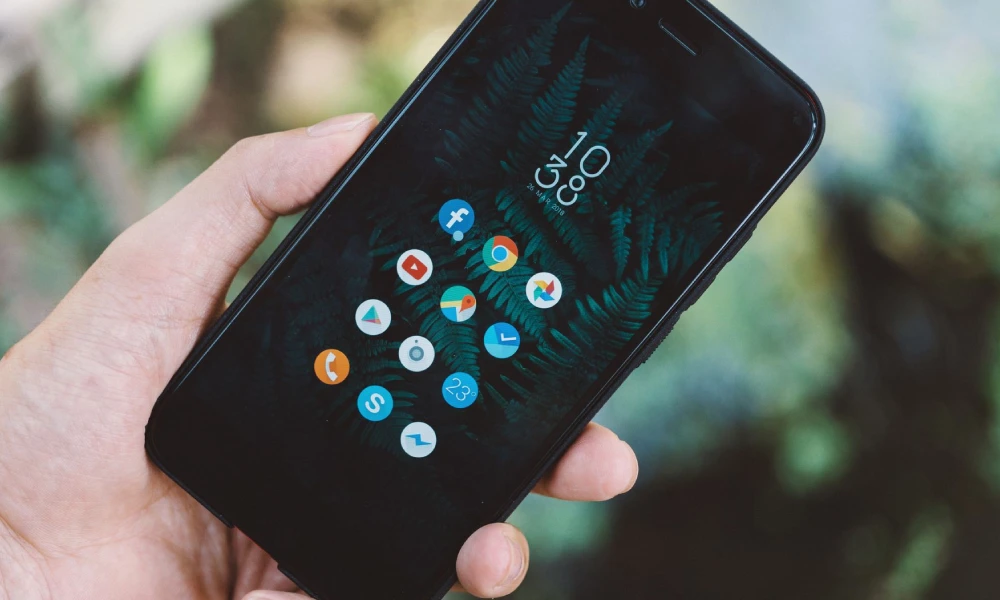
Push notifications represent one of the most powerful communication channels available to mobile software engineers and digital product managers. When engineered with precision, contextual push alerts drive daily active usage, recover abandoned checkout carts, communicate real-time transaction updates, and retain subscribers over the multi-year lifecycle of an application. Conversely, poorly implemented notification pipelines that suffer from message delivery latency, missing payload encryption, or battery drain quickly lead to permission revocations and app uninstalls.
Implementing a production-grade push notification architecture requires orchestrating native platform push gateways, device token synchronization microservices, secure backend triggers, and permission workflows. Whether building native applications on Swift (iOS) and Kotlin (Android) or deploying cross-platform engines like Flutter, software architects must handle distinct platform protocols such as Apple Push Notification service (APNs) and Firebase Cloud Messaging (FCM). Below is an exhaustive technical, operational, and architectural guide detailing how to integrate, configure, and manage push notifications in modern mobile applications.
Overview: The 4 Core Architectural Layers of Push Notifications
A production push notification ecosystem coordinates data flows across four synchronized tiers:
1. Mobile Client SDK Registration: Requesting operating system runtime permissions, generating unique device push tokens, and listening for incoming payloads in foreground, background, and terminated states.
2. Token Ingestion & Device Registry Backend: Ingesting client device tokens, associating them with authenticated user IDs in a database, handling token invalidation, and mapping topic subscriptions.
3. Dispatch & Notification Management Engine: Triggering automated transactional events (such as OTPs, order updates, or payment receipts) or marketing campaigns, formatting JSON payloads, and managing rate limiting.
4. Platform Transport Gateways (APNs & FCM): Authenticating via cryptographic keys (p8 certificates or service account JSONs) and routing data packets over persistent HTTP/2 connections directly to end-user hardware.
Push Architecture Comparison: Native Direct Pipelines vs Aggregator Middleware
Review this reference matrix evaluating the trade-offs between connecting directly to native platform push gateways versus utilizing managed developer platforms:
| Implementation Approach | Supported Platforms | Latency & Throughput | Operational Maintenance | Best Suited For |
|---|---|---|---|---|
| Direct APNs (Apple) & FCM (Android) | iOS, iPadOS, watchOS, Android | Sub-second direct dispatch with zero intermediary hops | High; requires maintaining separate protocol backends and token states | High-frequency fintech, banking rails, and real-time security alerts |
| Firebase Cloud Messaging (Unified) | iOS, Android, Web, Flutter, React Native | Low latency across cross-platform endpoints via unified FCM APIs | Low; single SDK integration handles APNs token translation automatically | General retail apps, on-demand delivery, and content platforms |
| Third-Party Aggregators (OneSignal, Braze) | All mobile OS, web browsers, email, SMS | Slight message queuing latency during multi-million user broadcasts | Minimal engineering; comprehensive visual dashboard for non-technical teams | Omnichannel marketing campaigns, behavioral drip funnels, and A/B testing |
1. Establishing Platform Gateways and Cryptographic Credentials
Before writing client-side code, developers must configure platform credentials with Apple and Google:
- Apple Push Notification service (APNs) Authentication: Modern iOS architectures utilize token-based authentication (.p8 private keys) rather than legacy expired SSL certificates. Developers generate an APNs Authentication Key in the Apple Developer Portal, noting the Key ID and Team ID. This single .p8 key can sign notifications across all environments (sandbox and production) for multiple applications under the development team.
- Firebase Cloud Messaging (FCM) Project Setup: For Android (and cross-platform iOS setups), developers create a Firebase Console project, link their application package name, and download the
google-services.json(Android) andGoogleService-Info.plist(iOS) configuration files into their source repository. The backend uses a service account private key to authenticate against the FCM v1 REST API. - APNs Key Upload to Firebase: If using FCM as an iOS intermediary, upload the Apple .p8 key, Key ID, and Team ID directly into the Firebase Cloud Messaging settings to allow Firebase servers to communicate with APNs on your behalf.
2. Client-Side Implementation: Permissions and Token Registration
Handling permissions and token capture requires strict adherence to modern mobile OS policies:
Contextual Runtime Permissions: Both iOS and modern Android versions (Android 13 and newer with POST_NOTIFICATIONS) treat notifications as an explicit runtime permission. Firing a permission dialog the second an app opens results in high rejection rates. The application should explain the value proposition first (such as tracking live delivery updates or receiving flight alerts) before triggering the system permission prompt.
Device Token Lifecycle Handling: When permission is granted, the operating system issues a device token. The mobile client must transmit this token to your backend database alongside device metadata (operating system version, app build number, and preferred language). The app must also implement event listeners for token refreshes, which occur when a user restores a phone from backup, reinstalls the app, or updates the operating system.
3. Structuring and Dispatching Payloads via HTTP/2
Push payloads travel as structured JSON packets delivered over secure HTTP/2 endpoints:
- Notification vs Data Payloads: Standard notification payloads contain basic display text (title, body, and badge count) rendered directly by the operating system tray. Data (silent) payloads contain custom key-value pairs that wake the mobile app in the background to pre-fetch new chat messages, update local databases, or refresh balance numbers before the user opens the screen.
- Deep Linking Schemas: Every actionable notification must contain a structured URI or resource identifier (such as
myapp://orders/102938). When an attendee or buyer taps the alert, the app router intercepts the payload and navigates directly to the target screen rather than dropping the user on the home screen. - Rich Media and Action Buttons: By configuring iOS Notification Service Extensions and Android Notification Channels, developers attach high-resolution preview images, dynamic maps, and quick action buttons (such as "Approve" or "Dismiss") directly onto the alert sheet.
Designing an enterprise notification pipeline, orchestrating multi-region token registries, and ensuring uninterrupted delivery during peak traffic demands rigorous systems engineering and deep mobile ecosystem knowledge. Collaborating with an established mobile app development company in Dubai allows enterprise product leaders and growing technology companies to build resilient native Swift and cross-platform Flutter applications, configure scalable Firebase and APNs microservices, automate behavioral push campaigns, and maintain full compliance with regional data privacy laws like the UAE Personal Data Protection Law.
4. Backend Token Registry and Failure Handling
A notification infrastructure is only as reliable as its backend database governance:
- Pruning Stale Device Tokens: When an APNs or FCM gateway returns an error indicating that a device token is unregistered or expired (such as
UNREGISTEREDor HTTP 410 BadDeviceToken), the backend must immediately flag or delete that record. Continuing to send payloads to dead tokens degrades gateway reputation and causes delivery throttling. - Topic Subscriptions and Geospatial Broadcasts: Rather than querying millions of database rows to dispatch breaking news or weather warnings, utilize Pub/Sub topic subscription models (such as subscribing users to topics like
news_sportsorzone_downtown). The platform gateway handles mass fan-out delivery across subscribed endpoints efficiently.
5. Battery Optimization and Network Constraints
Mobile platforms aggressively terminate background tasks to protect user battery health and cellular data:
- APNs Priority and Collapse IDs: Use APNs priority headers thoughtfully. Set priority to 10 for urgent alerts requiring immediate wake-up (such as incoming VoIP calls or security alarms), and priority 5 for background data updates. Implementing
apns-collapse-idreplaces older, unread notifications with updated versions, preventing screen clutter. - Android Notification Channels: Categorize notifications into discrete channels (such as Security, Marketing, and Order Tracking). This allows users to silence promotional alerts while keeping critical operational and transactional notifications enabled.
Decision Checklist: Essential Standards for Push Architectures
Engineering teams preparing to deploy or refactor a mobile push notification subsystem should verify their implementation against these critical technical criteria:
Mandatory Push Notification Checklist:
- Authentication configured using Apple .p8 private keys and Google Firebase v1 REST APIs.
- Contextual in-app permission onboarding before triggering native iOS and Android 13+ system prompts.
- Token refresh listeners configured to update backend registries automatically upon token regeneration.
- Deep-linking routing configured to parse payload metadata and open target view controllers smoothly.
- Automated backend pruning workflows to remove expired, uninstalled, or invalid device tokens instantly.
- Notification Service Extension implemented on iOS to render rich media attachments and handle payload encryption.
- Strict compliance with the UAE Personal Data Protection Law (Federal Decree-Law No. 45 of 2021) ensuring user communication consent preferences are respected and recorded.
Conclusion
Adding push notifications to a mobile application is an essential engineering milestone that transforms a passive tool into an active, real-time communication channel. By pairing secure cryptographic platform gateways with thoughtful permission UX, structured JSON deep links, and automated token pruning engines, technology teams deliver dependable and relevant alerts to their user base. Investing in a resilient, field-tested notification architecture drives long-term customer engagement, elevates retention metrics, and builds an enduring foundation for digital product growth.
Looking for Measurable Business Growth?
Partner with BrandStory for end-to-end digital & creative excellence.


Are You Looking for Growth?
Free instant digital marketing audit and improve performance.
Get Graded Today
Transform Your Digital Growth with BrandStory
From SEO, PPC, social media marketing, and content marketing to website development, branding, and lead generation, BrandStory delivers result-driven digital marketing services in Dubai and across the UAE, helping businesses attract, engage, and convert more customers.
Trusted by 1000+ leading brands in Dubai and globally including:




Related Blogs
What is End-to-End Encryption in Apps: Architecture & Implementation Guide
End-to-End Encryption (E2EE) is an advanced cryptographic architecture designed to secure digital communication so that ...
Mobile App Penetration Testing: Methodology & Security Audit Guide
Mobile application penetration testing is a structured, offensive security assessment designed to discover vulnerabiliti...
How to Secure Mobile App APIs: Architecture & Zero-Trust Guide
Securing mobile application Application Programming Interfaces (APIs) represents one of the most critical challenges in ...
Why Apps Get Rejected on Google Play Store: Policy Analysis & Fixes
Publishing an Android application to the Google Play Store involves navigating a rigorous compliance evaluation system. ...
Why Apps Get Rejected on the App Store: Triggers & Technical Fixes
Submitting an iOS application to the Apple App Store is an exacting software quality milestone. Unlike open platforms wh...
App Store Review Guidelines Explained: Approval & Architecture Guide
Navigating the Apple App Store Review Guidelines is one of the most critical challenges in iOS software engineering and ...

