Google SERP Simulator
Enter title, description, and URL to preview



How Does Our Google SERP Simulator work?
Our free Google SERP simulator lets you check and see the title tag, URL, and meta description in the search results as you write them.
To get the most out of our free SERP tool, all you have to do is:
Enter the complete URL of the webpage you would like to preview, our tool generate a precise search result appearance.
Add the name of your website or brand as you would like it to be displayed in the search results preview on Google.
Write or paste both the title tag (60 characters) & meta description (167 characters) you want to test, reflect your content.
Once you are satisfied with your inputs, generate the preview and easily copy HTML, share link, or download the final SERP preview.
SERP simulator show how your URL, title, and meta description tag would realistically look in Google Search and check whether individual parts of the snippet have an optimal length (and won't get trimmed by Google).
Besides a standard organic snippet, you can also use a couple of extra features to optimize your URL, title, and meta tags like a pro.
1. Real SERP preview
Enter any keyword your wish to rank for into the Google Search bar within the tool and see for yourself how your snippet would look compared to other top-ranking competitors on the search results page.
2. Bold keywords
Google bolds the keywords in search results that match the search query. Use this feature to see how your title tag and meta description will look when they match your focus keyword.
3. AI Overview
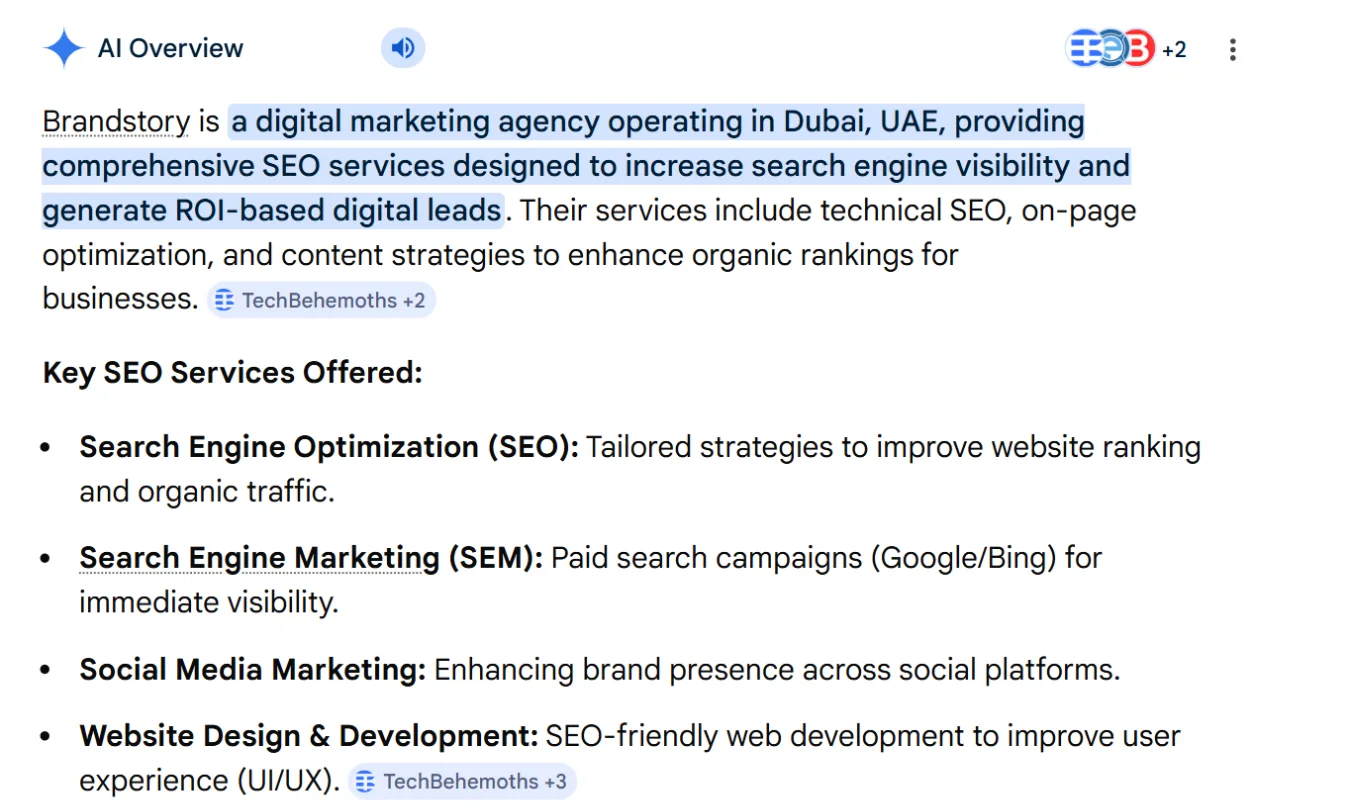
With the new Google updates, you can see how much space AI Overviews take at the top of the SERP, helping you understand how far down your snippet will be.
4. Heatmap
The heatmap feature shows the most-clicked parts of search results. Optimize your title and meta description to boost your click-through rate based on visual intensity.
5. Date
A simple yet effective feature that lets you add the current date to the snippet preview to get the most out of your simulated organic snippet.
6. Rating
Optimize your snippet for keywords with transactional intent by adding rating stars to see how attractive your web page will be to potential customers.
7. Ads and map packs
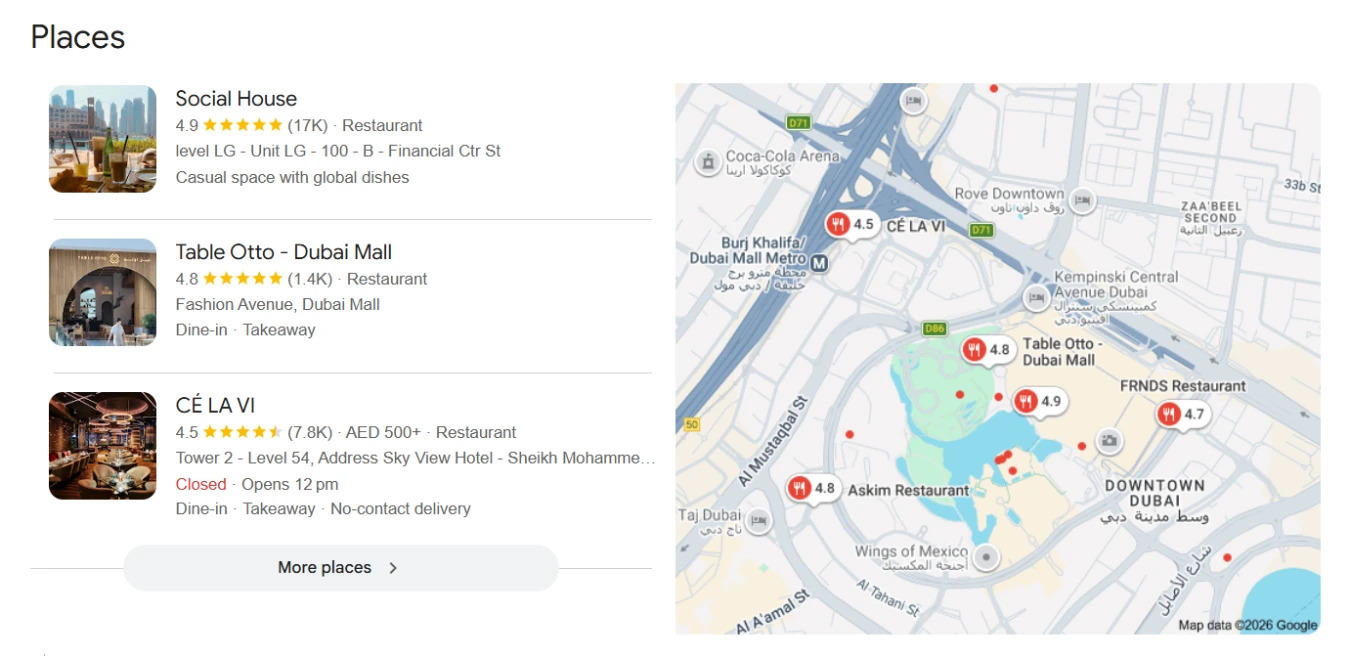
Add paid ads or local map packs to the top of your simulated SERP to see how they affect your organic listing's visibility.
8. Mobile preview
Optimize for the mobile-first world. See exactly how your snippet will look on mobile devices where more than 50% of searches happen.
9. Save or copy snippet
Save your SERP snippet as an image or share it with your team. You can also copy the HTML tags for the title and meta description directly.
How to create the perfect title tag and meta description
The goal of creating a stunning title tag and meta description is to turn searchers into visitors who will find exactly what they're looking for.
Your main task is to combine three key ingredients:
Relevance
Your title tag and meta description should be relevant to the search query. Use the main keyword to make it clear what your page is about.
Uniqueness
Make your title tag and meta description unique. Don't copy-paste them from other pages. Each page should have its own distinct title tag and meta description.
Attractiveness
Make your title tag and meta description attractive. Use power words, numbers, and questions to make them stand out from the competition.
Frequenly Asked Questions